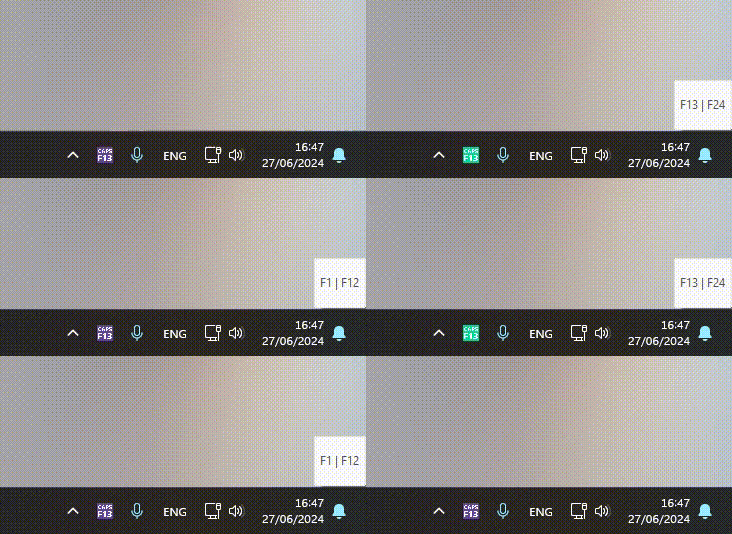

This application remaps the F1 – F12 keys to F13 – F24 when the Caps Lock key is pressed. Pressing the Caps Lock key again disables the remapping and restores the F1 – F12 keys’ default function.
Shift does not affect the remapping. For instance, if you press Shift+F1 while Caps Lock is enabled, the system will interpret it as Shift+F13.
This application is created and compiled using AutoHotKey.
Potential Uses
This script is compatible with any application that supports the additional function keys F13 – F24, such as:
- DAWs (Digital Audio Workstations) like Bitwig Studio, Ableton Live, FL Studio, Cubase, Studio One, etc.
- Graphic editors like Affinity Photo/Designer, Adobe Photoshop/Illustrator, GIMP, Krita, Inkscape, etc.
- Video editors like Adobe Premiere, DaVinci Resolve, etc.
- CAD software like AutoCAD, SolidWorks, etc.
- Broadcasting software like OBS, Streamlabs, etc.
- Code editors like Visual Studio Code, Atom, etc.
- Other AutoHotKey scripts
- Most modern video games
Why I Made It
While the remapping is really simple and can be done in less than 20 lines of code, I wanted to create a script that covers many AutoHotkey functionalities that are often asked about on the official AutoHotkey Forum, Reddit, and Stack Overflow communities. I tried to comment on the script as much as possible without being too verbose. The scope of the source version is to be used as a reference for AutoHotkey beginners; the compiled version is for everyone to use.